 Fat Gone
 Housework calories, from everyday chores.
Vacuuming, mopping, sweeping and carrying groceries all involve movement. Choose the task and count the minutes you actively spent doing it to get an estimate using Fat Gone’s activity data.
Calculate your activity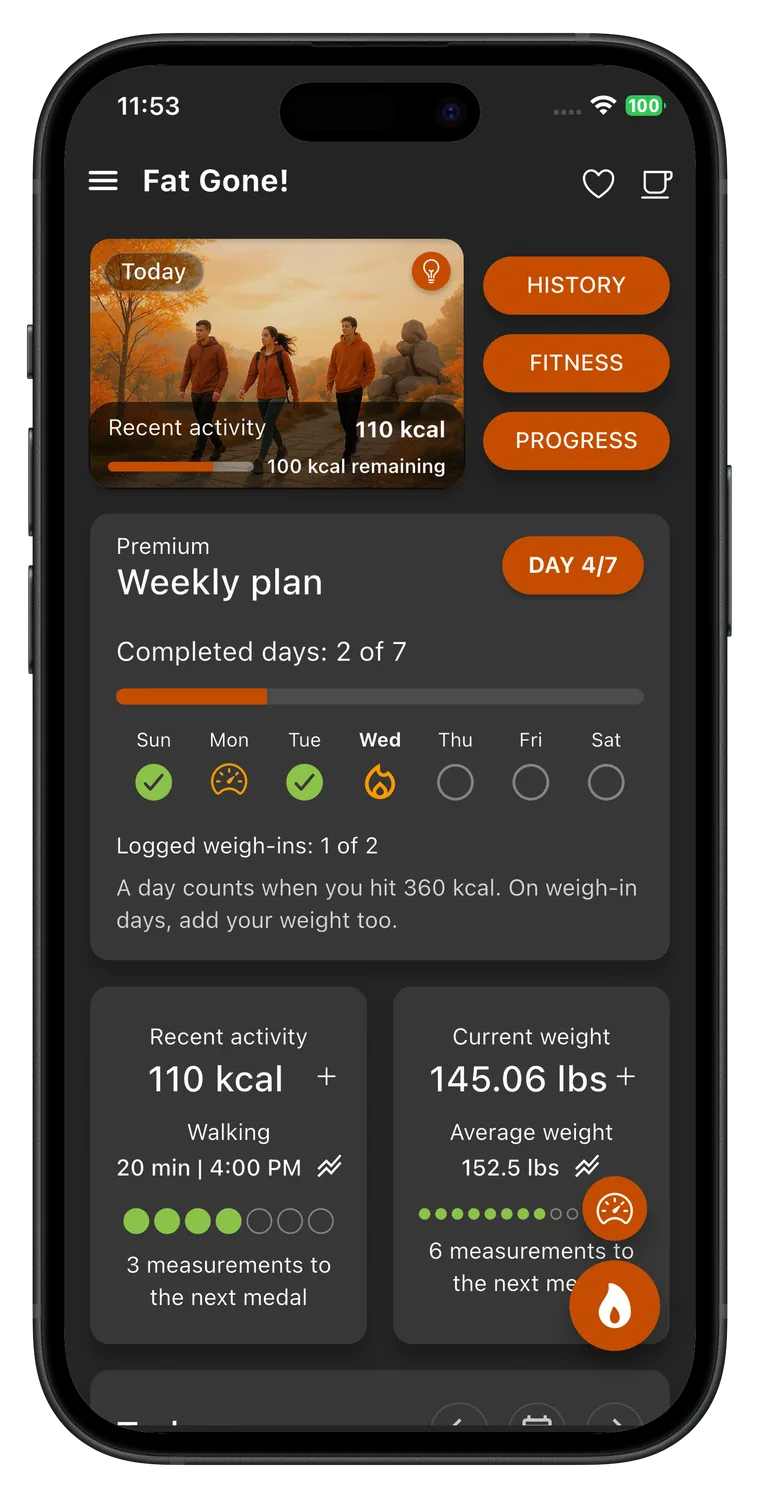
Estimate calories burned
Choose an activity, adjust the details, and get a personal estimate. Your entries stay in this browser.
Activity calories here include the energy your body would use at rest during the same time. They are not “extra” calories above rest.
Keep an activity record in Fat Gone
Your day includes more than a workout. In Fat Gone, log a household activity and the time actually spent doing it, then follow it with your personal calorie-burn goal and weight progress. The full catalog lets you choose more specific chores instead of labeling an entire afternoon as cleaning.


How this estimate works
Fat Gone stores an intensity value, called a MET, for each activity. One MET represents approximate resting energy use; a higher MET indicates more energy used during the same time. The app estimates basal metabolic rate (BMR) from age, height and weight, then calculates activity energy as BMR ÷ 24 × MET × hours. The calculator above follows that default app method. The app also offers a Harris–Benedict BMR option, so your in-app figure can differ if you choose it.
The default BMR estimate uses the Mifflin–St Jeor equation: 10 × weight in kg + 6.25 × height in cm − 5 × age in years, then +5 or −161 according to the selected formula parameter. It is an estimate of energy use at rest, not a measured metabolic rate. Fat Gone rounds BMR and then the final calorie result, so small differences from other calculators are expected.
Calories burned cleaning: compare four household tasks
Examples use a 35-year-old person at 75 kg and 170 cm, with the female formula parameter and estimated BMR of 1,477 kcal/day. The table shows active task time. It does not assume that every minute spent at home is cleaning.
| Activity | MET | 15 min | 30 min | 60 min |
|---|---|---|---|---|
| Sweeping floors | 3.3 | 51 kcal | 102 kcal | 203 kcal |
| Mopping, moderate effort | 3.5 | 54 kcal | 108 kcal | 215 kcal |
| Vacuuming | 3 | 46 kcal | 92 kcal | 185 kcal |
| Carrying groceries on level ground | 3.5 | 54 kcal | 108 kcal | 215 kcal |
Which cleaning task should you choose?
The app gives sweeping floors a value of 3.3 MET, mopping while standing at moderate effort 3.5 MET, and vacuuming at moderate effort 3.0 MET. Carrying groceries while walking on level ground is 3.5 MET. These are four distinct descriptions, not interchangeable names for every chore. Choose the one closest to what you actually did. Light tidying, washing dishes, carrying heavy furniture or climbing stairs with bags are not modeled by the vacuuming option. If you need another task, use the full activity catalog in Fat Gone or return to the general calculator for the other selected activities.
How many calories does vacuuming burn?
For the example profile in the table, 30 active minutes of moderate-effort vacuuming is about 92 kcal. Sweeping for the same time is about 102 kcal, while mopping or carrying groceries on level ground is about 108 kcal. These examples include resting energy during the task. They are useful for comparing descriptions with the profile held constant, but they are not measured values for everyone cleaning a home. Your own details and active duration change the estimate. A task performed slowly with frequent pauses may not match the moderate-effort catalog description throughout the session.
Do not count breaks as continuous cleaning
An hour set aside for housework often includes interruptions, preparation and time spent deciding what to do next. Enter the active minutes for each task rather than automatically entering the full hour. If you vacuum for 15 minutes, mop for 10 minutes and then sit down, calculate the first two tasks separately. The table helps compare shorter blocks with longer ones. If exact timing is inconvenient, use a reasonable estimate and the same approach each time. The aim is a comparable activity record, not a false claim that every minute of an afternoon carried the same intensity.
How to combine several chores
Calculate each task with the same personal profile and add its calorie estimate. Fifteen minutes of vacuuming and 15 minutes of mopping for the example profile give roughly 46 plus 54 kcal, or 100 kcal in total. Small rounding differences can appear when separate entries are added. Do not enter the combined 30 minutes as both vacuuming and mopping: that would count the same time twice. Carrying groceries is included here as a household errand, but its entry assumes level-ground walking. Stairs or a substantially different load need a more suitable activity description in the app.
Are chore calories extra calories?
The result is gross expenditure: it includes what your body would have used at rest during the same time. For the example BMR, resting energy for 30 minutes is about 31 kcal before comparing it with a chore. Subtract that resting portion if you need an approximate above-rest figure; do not subtract an unrelated full-day resting total. Also avoid adding housework again if an activity-adjusted daily expenditure estimate already accounts for it. This distinction is especially useful for everyday tasks, where it is easy to count routine movement once in a daily assumption and again as a separate session.
Make ordinary movement visible in Fat Gone
Record a task after it is done and use a consistent description for comparable chores. A household activity can contribute to your movement record even when it is not a gym workout. That does not make cleaning a replacement for every kind of exercise, and the calculated calories should not be converted directly into expected fat loss. Fat Gone gives the task a place alongside walks and rides in your personal daily plan. Review the pattern over several days, rather than using one large cleaning estimate as permission to change food intake or as proof that a weight goal has been reached.
What the result can and cannot tell you
This tool estimates gross energy expenditure, which includes resting energy use during the activity. To compare a session with doing nothing for the same duration, subtract the estimated resting portion (BMR ÷ 24 × hours). Neither number is a direct measurement. MET values describe typical activity intensity, while the BMR formula predicts resting expenditure from population data.
Do not convert a single activity estimate directly into expected weight loss. Body-weight change depends on overall intake, expenditure and many other factors over time. The useful habit is to log comparable activities consistently and look for a sustainable pattern. If you are managing a health condition, pregnant, or recovering from an injury, use advice from a qualified clinician when planning activity.
Sources and product method
The selected codes and MET values are from the Fat Gone app’s bundled activity data. The app cites the Compendium of Physical Activities for activity intensity. Its default BMR calculation follows the Mifflin–St Jeor equation. Values are reviewed against the app source when this page changes; the live app remains the source of truth.
Source table for this activity group
Prepared by CreamSoft, maker of Fat Gone. Activity values and method reviewed:
Choose the movement in your day
Walking calories
Choose a slow, moderate, brisk or very brisk walk. Enter your walking time and personal details to estimate the energy used, with the same activity values and default calculation as Fat Gone.
Open the calculatorCycling calories
Estimate the energy used during a bike ride from moving time and easy, moderate or vigorous effort. This tool uses the same three cycling entries and default calculation as the Fat Gone app.
Open the calculatorTake the estimate into your daily plan.
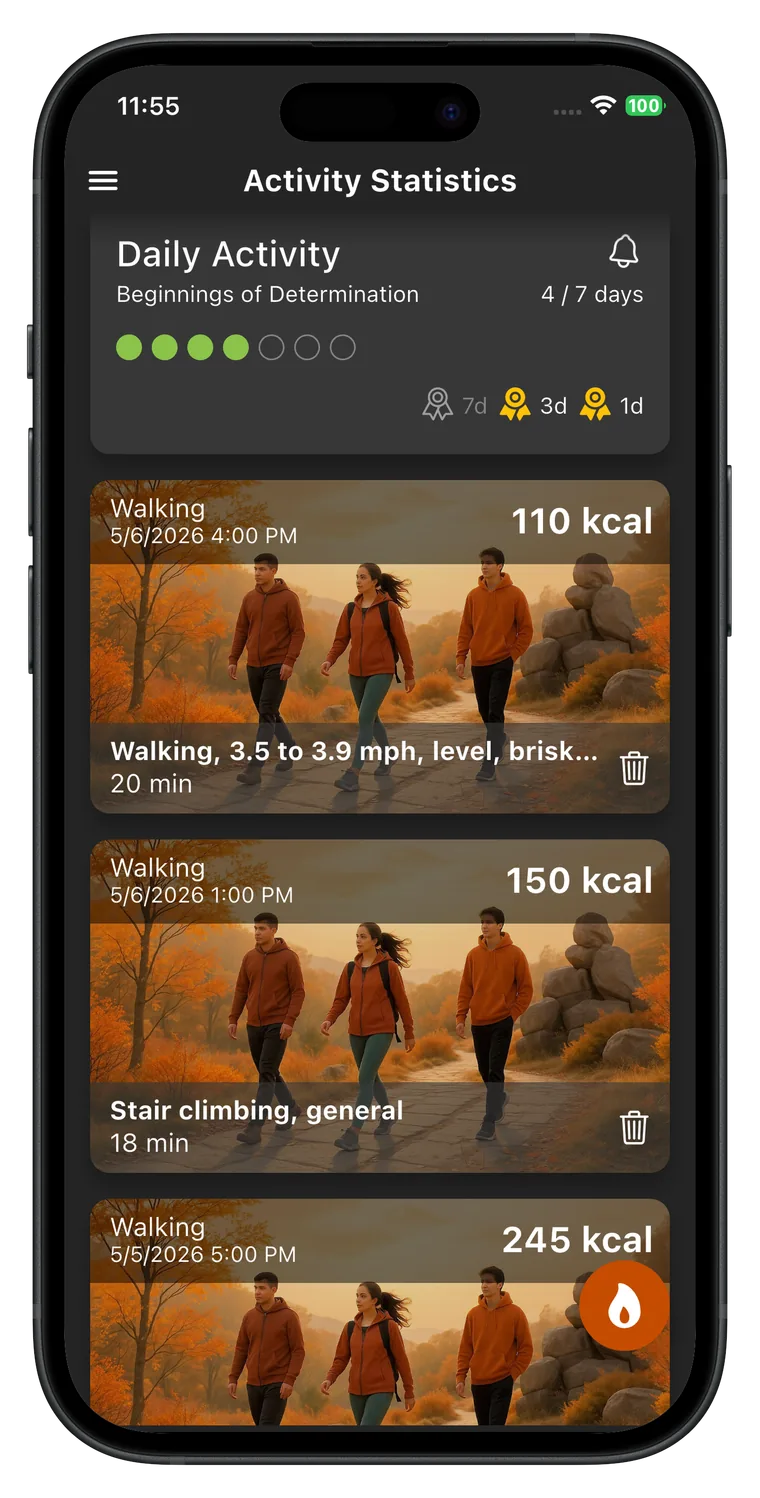
Your day includes more than a workout. In Fat Gone, log a household activity and the time actually spent doing it, then follow it with your personal calorie-burn goal and weight progress. The full catalog lets you choose more specific chores instead of labeling an entire afternoon as cleaning.
Activity guides
Practical guides to everyday movement, weekly planning and calorie estimates. Understand the numbers, then choose an approach you can repeat.
How to be more active without a gym
Build everyday movement around walks, errands and household tasks. A practical guide to finding time, tracking activity and avoiding double counting.
Read the guideHow to build a weekly activity plan you can keep
Create a weekly movement plan with realistic time slots, fallback options and a simple review. Learn how to record completed activity in Fat Gone.
Read the guideActive vs total calories: what is the difference?
Understand active, resting and total calories with a worked walking example. Learn what Fat Gone estimates and how to avoid counting resting energy twice.
Read the guideWhy your watch and calorie calculator disagree
Compare watch and calculator calories fairly. Check active versus total energy, timing, activity choice, profile details and the method behind each estimate.
Read the guide