 Fat Gone
 Cycling calories, for your ride.
Estimate the energy used during a bike ride from moving time and easy, moderate or vigorous effort. This tool uses the same three cycling entries and default calculation as the Fat Gone app.
Calculate your activity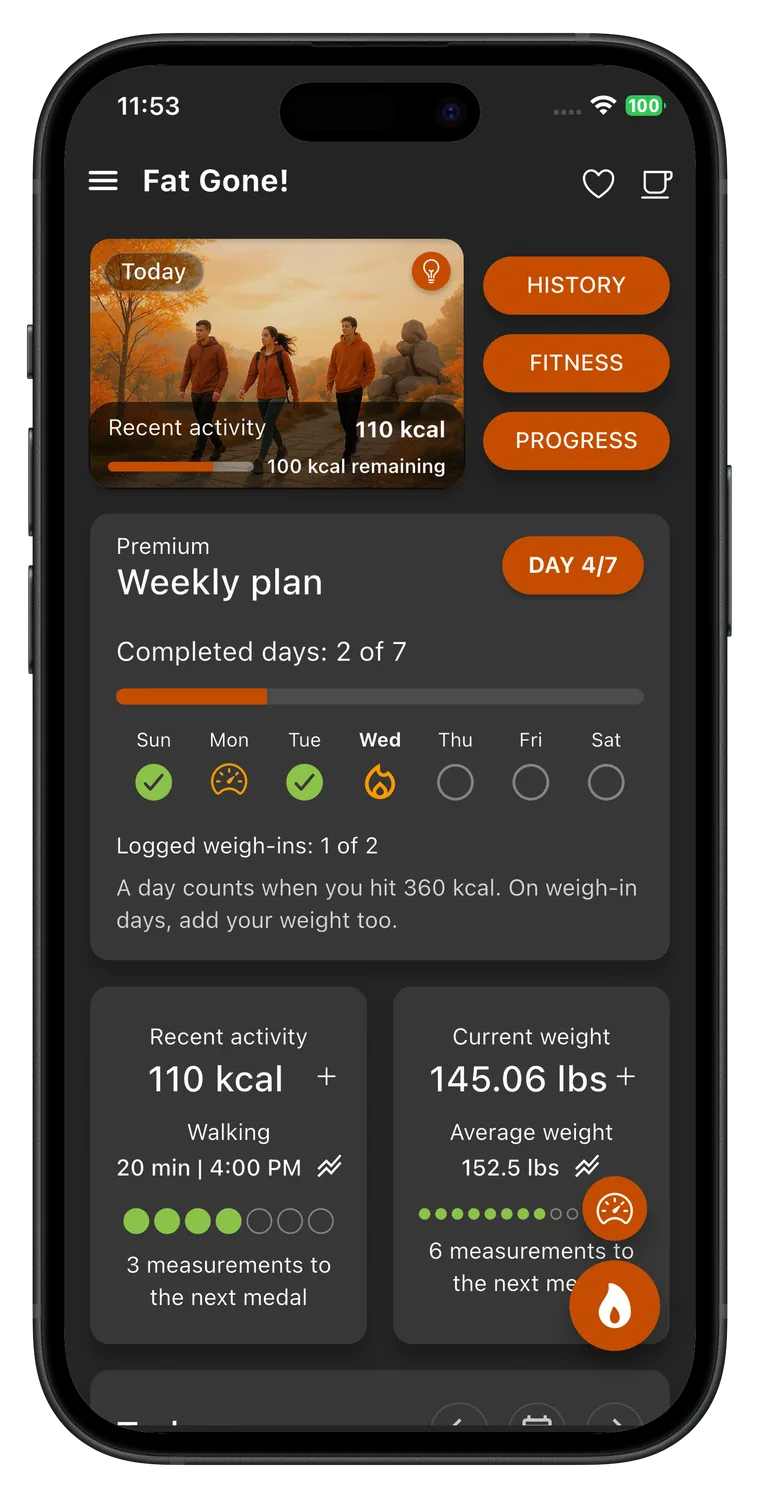
Estimate calories burned
Choose an activity, adjust the details, and get a personal estimate. Your entries stay in this browser.
Activity calories here include the energy your body would use at rest during the same time. They are not “extra” calories above rest.
Keep an activity record in Fat Gone
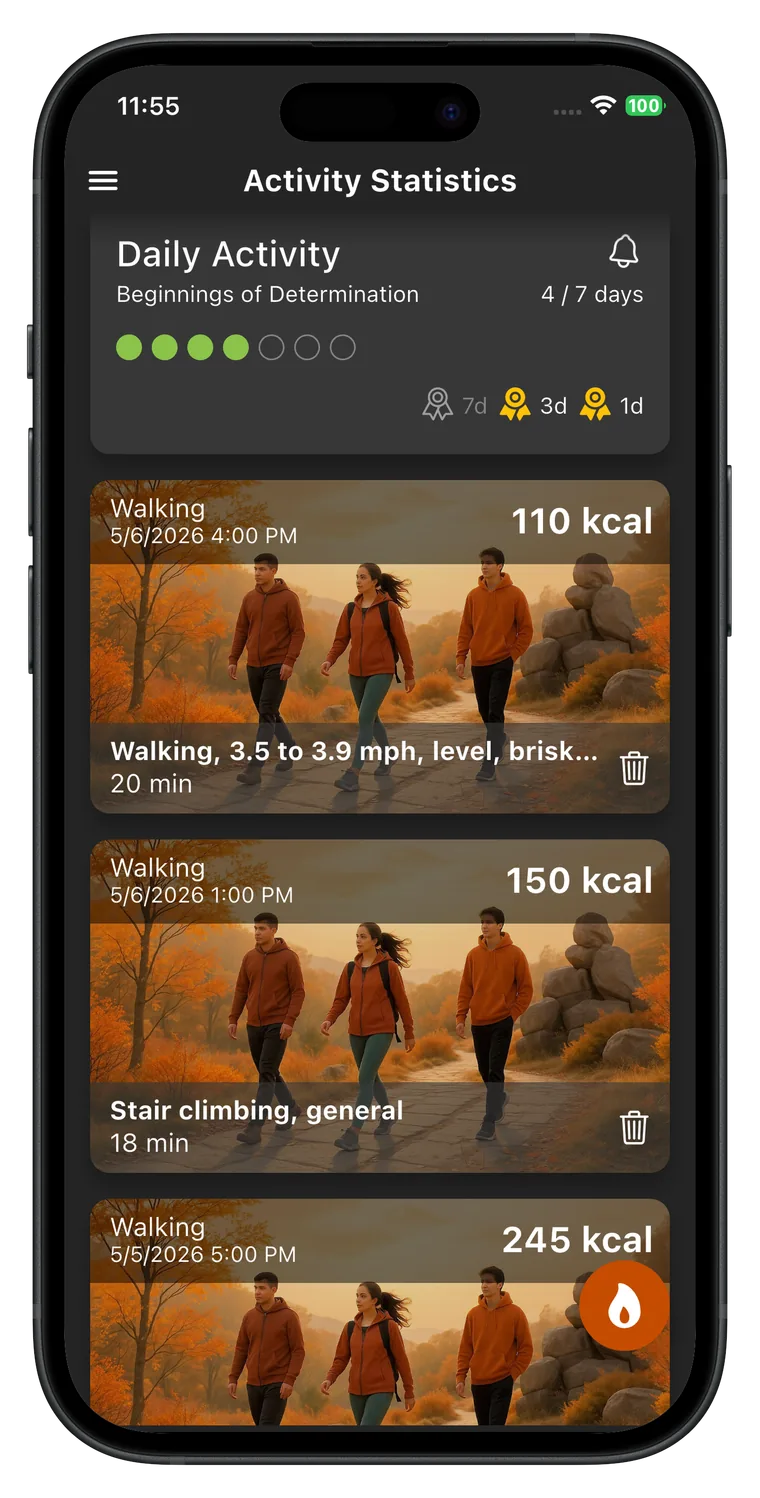
Keep a record of your rides alongside the other movement in your day. Fat Gone lets you select an activity, record its duration, and follow your personal calorie-burn goal and weight progress. Use the full cycling catalog when a broad effort category does not describe the ride.


How this estimate works
Fat Gone stores an intensity value, called a MET, for each activity. One MET represents approximate resting energy use; a higher MET indicates more energy used during the same time. The app estimates basal metabolic rate (BMR) from age, height and weight, then calculates activity energy as BMR ÷ 24 × MET × hours. The calculator above follows that default app method. The app also offers a Harris–Benedict BMR option, so your in-app figure can differ if you choose it.
The default BMR estimate uses the Mifflin–St Jeor equation: 10 × weight in kg + 6.25 × height in cm − 5 × age in years, then +5 or −161 according to the selected formula parameter. It is an estimate of energy use at rest, not a measured metabolic rate. Fat Gone rounds BMR and then the final calorie result, so small differences from other calculators are expected.
Compare cycling effort and ride duration
The table keeps the example profile fixed: age 35, weight 75 kg, height 170 cm and the female formula parameter. Its estimated BMR is 1,477 kcal/day. Change the details in the calculator for your own estimate; the table is a comparison, not a universal calorie chart.
| Activity | MET | 15 min | 30 min | 60 min |
|---|---|---|---|---|
| Easy cycling | 4.3 | 66 kcal | 132 kcal | 265 kcal |
| Moderate cycling | 7 | 108 kcal | 215 kcal | 431 kcal |
| Vigorous cycling | 9 | 138 kcal | 277 kcal | 554 kcal |
Easy, moderate or vigorous cycling?
The app entries shown here are self-selected cycling efforts. Easy cycling uses 4.3 MET, moderate cycling 7.0 MET and vigorous cycling 9.0 MET. They are broad categories rather than fixed speed bands. Select the effort that best describes the part of your ride you are estimating. A ride with changing effort can be split into separate sessions, calculated individually and added. Do not assign vigorous effort to the entire ride because it includes one difficult hill. The full app catalog offers more specific cycling entries, while this page deliberately keeps the choice short and understandable.
How many calories does 30 minutes of cycling burn?
For the example profile above, the app method estimates about 132 kcal at easy effort, 215 kcal at moderate effort and 277 kcal at vigorous effort for 30 minutes. A full hour at the same modeled effort doubles the unrounded estimate. Your body profile affects the result through the resting metabolic rate calculation, so these examples are not a promise for every rider. The displayed calories include estimated resting expenditure during the ride. If you compare them with a device showing only active calories, the two figures describe different things even before differences in measurement method are considered.
Count riding time rather than the entire outing
Enter minutes spent cycling at the selected effort. Time stopped at a café or waiting at a destination should not be counted as continuous cycling. If a trip lasts 45 minutes but includes 15 minutes off the bike, start with the 30 minutes actually spent riding. Long periods of coasting and frequent stops can also make a broad effort category less representative. Record separate sections when that gives a closer description. The calculator does not read GPS, a power meter or heart rate, and it does not infer your effort from the length of the route.
Why cycling speed is not enough for this estimate
A tailwind, a descent, a different bicycle or riding behind another cyclist can change speed without an equivalent change in effort. A headwind or uphill section can produce the opposite pattern. That is why this page asks for self-selected effort and time rather than claiming to calculate precise energy from distance alone. An electric bike’s assistance is another reason that road speed can be misleading. This tool has no motor-assistance adjustment. When the category does not fit, select an appropriate entry in the full app catalog instead of treating a fast assisted ride as vigorous cycling by default.
Keep estimates useful across repeated rides
Choose a repeatable route or a commute and log its actual riding time consistently. Use the same effort description for comparable sessions, and change it when the ride itself changes. Comparing an easy 60-minute ride with a vigorous 15-minute ride can help you understand the time and effort trade-off, but it should not dictate how hard you must ride. Use Fat Gone to keep cycling alongside walks and household movement in your daily record. Avoid counting a recorded ride again inside another total. Overall weight change depends on the pattern of intake and expenditure over time, not one calculated ride.
What the result can and cannot tell you
This tool estimates gross energy expenditure, which includes resting energy use during the activity. To compare a session with doing nothing for the same duration, subtract the estimated resting portion (BMR ÷ 24 × hours). Neither number is a direct measurement. MET values describe typical activity intensity, while the BMR formula predicts resting expenditure from population data.
Do not convert a single activity estimate directly into expected weight loss. Body-weight change depends on overall intake, expenditure and many other factors over time. The useful habit is to log comparable activities consistently and look for a sustainable pattern. If you are managing a health condition, pregnant, or recovering from an injury, use advice from a qualified clinician when planning activity.
Sources and product method
The selected codes and MET values are from the Fat Gone app’s bundled activity data. The app cites the Compendium of Physical Activities for activity intensity. Its default BMR calculation follows the Mifflin–St Jeor equation. Values are reviewed against the app source when this page changes; the live app remains the source of truth.
Source table for this activity group
Prepared by CreamSoft, maker of Fat Gone. Activity values and method reviewed:
Choose the movement in your day
Walking calories
Choose a slow, moderate, brisk or very brisk walk. Enter your walking time and personal details to estimate the energy used, with the same activity values and default calculation as Fat Gone.
Open the calculatorHousework calories
Vacuuming, mopping, sweeping and carrying groceries all involve movement. Choose the task and count the minutes you actively spent doing it to get an estimate using Fat Gone’s activity data.
Open the calculatorTake the estimate into your daily plan.
Keep a record of your rides alongside the other movement in your day. Fat Gone lets you select an activity, record its duration, and follow your personal calorie-burn goal and weight progress. Use the full cycling catalog when a broad effort category does not describe the ride.
Activity guides
Practical guides to everyday movement, weekly planning and calorie estimates. Understand the numbers, then choose an approach you can repeat.
How to be more active without a gym
Build everyday movement around walks, errands and household tasks. A practical guide to finding time, tracking activity and avoiding double counting.
Read the guideHow to build a weekly activity plan you can keep
Create a weekly movement plan with realistic time slots, fallback options and a simple review. Learn how to record completed activity in Fat Gone.
Read the guideActive vs total calories: what is the difference?
Understand active, resting and total calories with a worked walking example. Learn what Fat Gone estimates and how to avoid counting resting energy twice.
Read the guideWhy your watch and calorie calculator disagree
Compare watch and calculator calories fairly. Check active versus total energy, timing, activity choice, profile details and the method behind each estimate.
Read the guide