 Fat Gone
Define the number before using it
Resting energy is the model’s estimate of energy used without the activity. Gross or total session energy includes that resting component during the session. Energy above rest subtracts the baseline for exactly the same period. These definitions explain why an active figure is smaller than a total figure for one activity.
A device may use its own baseline and naming convention. Apple describes total calories as active plus basal calories. That does not mean every app’s resting estimate or rounding method is identical to Apple’s.
Reference: Apple: Heart Rate, Calorimetry and Activity (2024)
What the Fat Gone calculator produces
The website uses the app’s default method: estimated daily BMR divided by 24, multiplied by the activity MET value and duration in hours. It rounds the BMR first and the final calorie result afterwards. The result is gross session energy; it includes the model’s resting component during that period.
MET describes the intensity assigned to an activity category. BMR is estimated from your profile, not measured by the website. The default Mifflin–St Jeor equation predicts resting expenditure, so entering detailed personal information does not turn the output into a direct metabolic measurement.
Reference: Mifflin et al.: Resting energy expenditure (1990)
Work through one thirty-minute walk
Use the calculator’s example: age 35, weight 75 kg, height 170 cm and the female formula parameter. Rounded BMR is 1477 kcal per day. For thirty minutes of brisk walking at 4.8 MET, the unrounded gross estimate is 1477 ÷ 24 × 4.8 × 0.5 = 147.7 kcal, displayed as 148.
The resting component for those thirty minutes is 1477 ÷ 24 × 0.5 = 30.77 kcal. Subtract it before rounding: 147.7 − 30.77 = 116.93 kcal above rest, or about 117. The activity is the same; only the included energy components differ.
Session total is not whole-day total
A thirty-minute gross estimate covers thirty minutes, not twenty-four hours. A daily device total can combine resting energy and many movement periods across the day. Comparing those two values without aligning their time windows cannot tell you which method is more accurate.
Be cautious about adding a gross session result to a daily resting allowance. The resting energy for the session may already be present in that allowance. If another system has included the activity itself, adding the session again duplicates movement too. Check that system’s definition before combining figures.
Subtract once, using a consistent baseline
For an approximate above-rest comparison using this model, the expression is BMR ÷ 24 × (MET − 1) × hours. It is the same subtraction shown in the worked example. Use the unrounded components where possible; subtracting displayed rounded numbers can differ by one calorie.
Do not subtract rest again from a figure already labeled active energy. Do not assume a watch uses precisely the same BMR baseline. This calculation clarifies the Fat Gone method; it is not a correction that makes every device comparable or reveals the true expenditure.
What neither number establishes
Both figures are estimates. They can help compare a consistent record of similar activities, but neither establishes exact energy expenditure or an amount of fat lost. Food intake, total expenditure and other influences matter over time. A large session estimate is not an instruction to eat exactly that many additional calories.
Use the label, time window and method together. If the practical question is whether you are making time for movement, duration and consistency may be more useful than attempting to reconcile every calorie difference.
The same example, three energy components
| Component | Calculation | Rounded estimate |
|---|---|---|
| Gross session energy | 1477 ÷ 24 × 4.8 × 0.5 | 148 kcal |
| Resting component | 1477 ÷ 24 × 0.5 | 31 kcal |
| Energy above rest | 1477 ÷ 24 × (4.8 − 1) × 0.5 | 117 kcal |
Your next steps
- Check whether the label means active or total energy.
- Match the session or daily time window.
- Identify the baseline and method before adding values.
- Subtract resting energy only if the figure includes it.
- Treat the result as an estimate, not a weight-loss promise.
Put the idea into practice
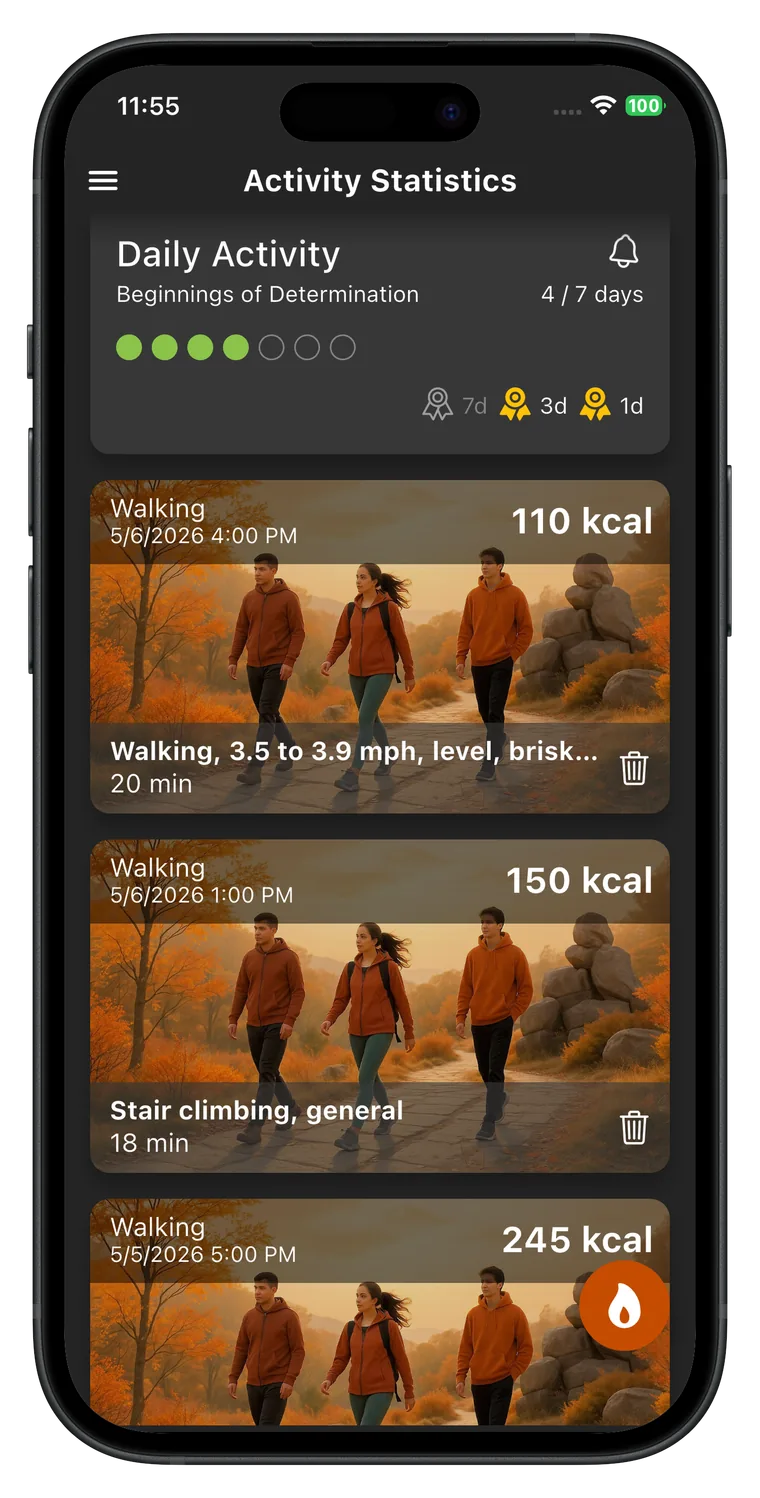
Fat Gone’s activity record follows the same gross estimation approach as the website calculator. Compare walking pace and duration with your own profile, then use the app to keep a consistent activity history. A recorded calorie goal is a planning tool, not a measurement of fat loss.


Sources and editorial scope
These guides explain activity planning and the app’s estimates. CreamSoft checked product details against the app source on 1 October 2026. They are not a medical review or an individual exercise prescription. Linked research and official guidance provide context; examples are illustrative.